
Designing Websites for AI Crawlers Without Sacrificing Human UX
SEARCH
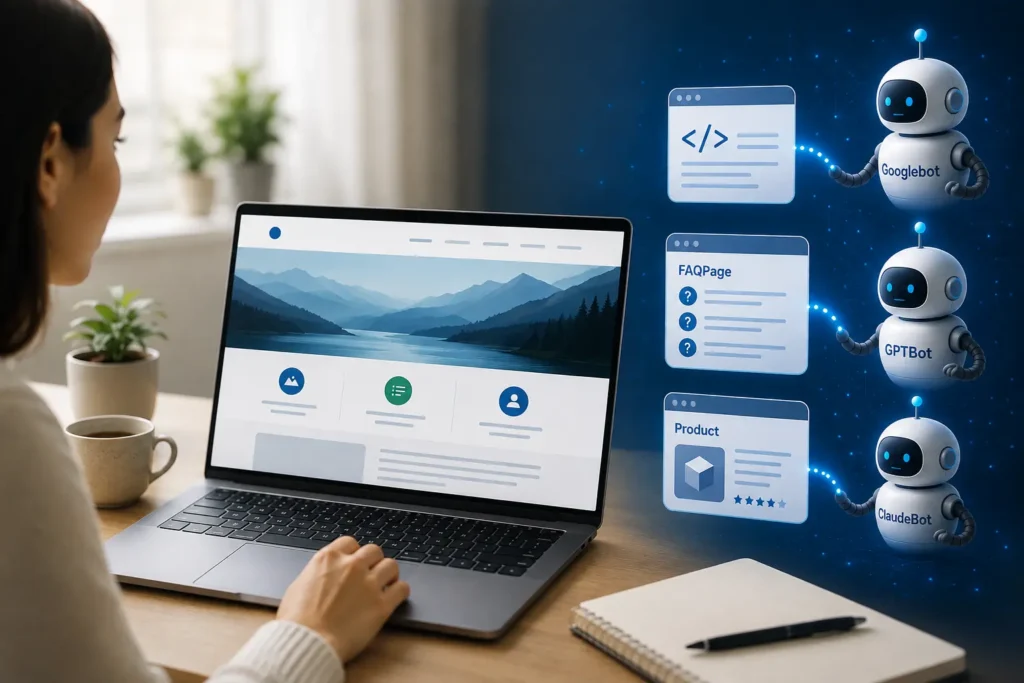
Your website used to have one audience: people. Today it has two — the humans who scroll, click, and buy, and the AI systems that crawl, parse, and quote. Googlebot, GPTBot, PerplexityBot, and ClaudeBot are now reading your pages just as often as your customers are, and how well your site “speaks” to them determines whether your business shows up in an AI-generated answer or disappears entirely from the conversation.
This is the quiet shift behind Generative Engine Optimization (GEO) and Answer Engine Optimization (AEO): search is no longer just about ranking a page, it’s about being the source an AI system trusts enough to cite. And that means web design now has a second client to please — the machine.
The good news is that building for AI crawlers and building for people are not opposing goals. Done well, machine-readable design actually improves the human experience too. Here’s how to do both at once.
Why Machine-Readability Matters Right Now
AI Overviews, ChatGPT Search, Perplexity, and Gemini increasingly answer a user’s question directly, without sending them to a website at all. A business can rank on page one and still lose the click, because the AI has already summarized the answer. The only way to stay visible in that scenario is to be the source the AI pulls from — and AI systems can only pull from content they can clearly understand.
Unlike a human, an AI crawler can’t “figure out” a beautifully designed but ambiguously coded page. It relies on structure: clean HTML, logical hierarchy, and explicit labeling. A site that’s visually stunning but structurally vague is invisible to the very systems now deciding what gets recommended.
What “Machine-Readable” Actually Means
Machine-readability isn’t about stripping away design — it’s about making the underlying structure explicit so both browsers and bots can parse it correctly. The core elements include:
- Semantic HTML — using tags like
<header>,<nav>,<article>, and<h1>–<h3>for what they’re meant for, instead of generic<div>soup - Structured data (schema markup) — code that tells search engines and AI models exactly what a piece of content is: a product, an FAQ, a service, a review, an article
- A logical heading hierarchy — one clear H1 per page, with H2s and H3s that outline the content the way a table of contents would
- Descriptive, crawlable text — content that exists as real text in the HTML, not locked inside images or client-side-only JavaScript that never renders for a bot
- Clear, specific labeling — page titles and headings that state exactly what the page is about, rather than vague marketing phrases
Where AI Crawlers and Human Visitors Actually Disagree
Most of the time, good structure benefits both audiences. But there are a few genuine tension points worth knowing:
Humans respond to visual storytelling — a strong hero image, a video, subtle animation that draws the eye down the page. Crawlers respond to text-first clarity — they want the core facts stated plainly, early, and in a format they can extract.
Humans tolerate ambiguity — a page titled “What We Do” makes sense once they’ve scrolled and absorbed the context. Crawlers need specificity — a heading like “Web Design Services for Retail Brands in Kolkata” tells an AI system exactly what to index and cite, with no scrolling required.
Humans skim visually — bold colors and layout draw attention to key information. Crawlers skim structurally — they rely on your heading tags and schema markup to know what’s important, regardless of how it looks.
The solution isn’t to abandon design for the sake of bots. It’s to layer machine-readable structure underneath a visually engaging experience, so each audience gets what it needs from the same page.
Practical Techniques That Serve Both Audiences
- Add FAQ sections with FAQPage schema. These directly answer common customer questions, improve on-page usability, and are exactly the format AI answer engines prefer to quote from.
- Use progressive enhancement or server-side rendering for JavaScript-heavy sites, so content is present in the initial HTML rather than only appearing after scripts run — many bots never wait for that.
- Write descriptive alt text for every meaningful image. It helps accessibility, SEO, and gives AI systems context they can’t otherwise get from a picture.
- Keep one clear H1 and a genuine heading hierarchy. This isn’t just good SEO practice — it’s a scannable outline for human readers too.
- Mark up services, products, reviews, and articles with schema.org data. This is largely invisible to visitors but tells AI systems precisely what your content represents.
- Front-load key facts. State what you do, where, and for whom in the first two sentences of a page, before the storytelling begins.
Common Mistakes That Make Sites “AI-Invisible”
- Critical text embedded only in images or infographics, with no text equivalent
- Vague, generic headings (“Our Solutions,” “What We Offer”) that give crawlers nothing specific to index
- Content that loads only after heavy JavaScript execution, with no server-rendered fallback
- Missing or incomplete schema markup on service and product pages
- Infinite scroll or tab-hidden content that never appears in the raw page source
A Quick Self-Audit Checklist
- Does every page have one clear, specific H1?
- Can you view your key content with JavaScript disabled?
- Do your service pages have schema markup?
- Do you have at least one FAQ section with structured data?
- Would a stranger understand what the page is about from the headings alone?
The Takeaway
Designing for AI crawlers isn’t a trade-off against good design — it’s an extension of it. A well-structured site is faster, more accessible, easier to navigate, and now, more likely to be found and cited by the AI tools your customers are increasingly using instead of a traditional search bar. The businesses that treat structure as seriously as they treat visual design will be the ones still visible in 2026’s answer-driven search landscape.
At B3NET, every website we build is designed to work for both audiences — engaging for the humans who visit, and structured for the AI systems now deciding who gets recommended. If your current site hasn’t been audited for AI readability, that’s the first place to start.
Ready to make your website AI-ready? Get a free website audit from B3NET and see exactly where your site stands with both search engines and AI answer engines.
Frequently Asked Questions
What does “machine-readable website” mean?
A machine-readable website is structured so that search engine crawlers and AI systems can accurately parse, understand, and extract its content — through semantic HTML, structured data, and clear heading hierarchy — rather than relying on visual design alone.
Does making a site AI-friendly hurt the design or user experience?
No. Machine-readable techniques like clear headings, schema markup, and fast-loading server-rendered content typically improve human usability and page speed as well, since they reduce clutter and make navigation more intuitive.
What is the difference between SEO, GEO, and AEO?
SEO focuses on ranking in traditional search results. AEO (Answer Engine Optimization) focuses on being featured as a direct answer in search boxes and voice assistants. GEO (Generative Engine Optimization) focuses on being cited or recommended within AI-generated responses from tools like ChatGPT, Gemini, and Perplexity. A modern web strategy needs all three.
How do I know if my website is readable by AI crawlers?
Try viewing your page with JavaScript disabled, or use a “view page source” check to see if your key content and headings appear in the raw HTML. If your important text and structure are missing, most AI crawlers won’t see them either.
Can B3NET audit my existing website for AI and search readability?
Yes. B3NET offers website audits covering technical SEO, structured data, and AI-crawler readability as part of its web design and development services.

Admin
Related Posts

Is Your Business Invisible to AI? What Indian Business Owners Must Know About GEO in 2026
A potential customer opens ChatGPT or Gemini and types: “Best interior designer in Salt Lake” or “Reliable CA firm for...
View Details
Leave a Reply